⚡
Lightning Fast
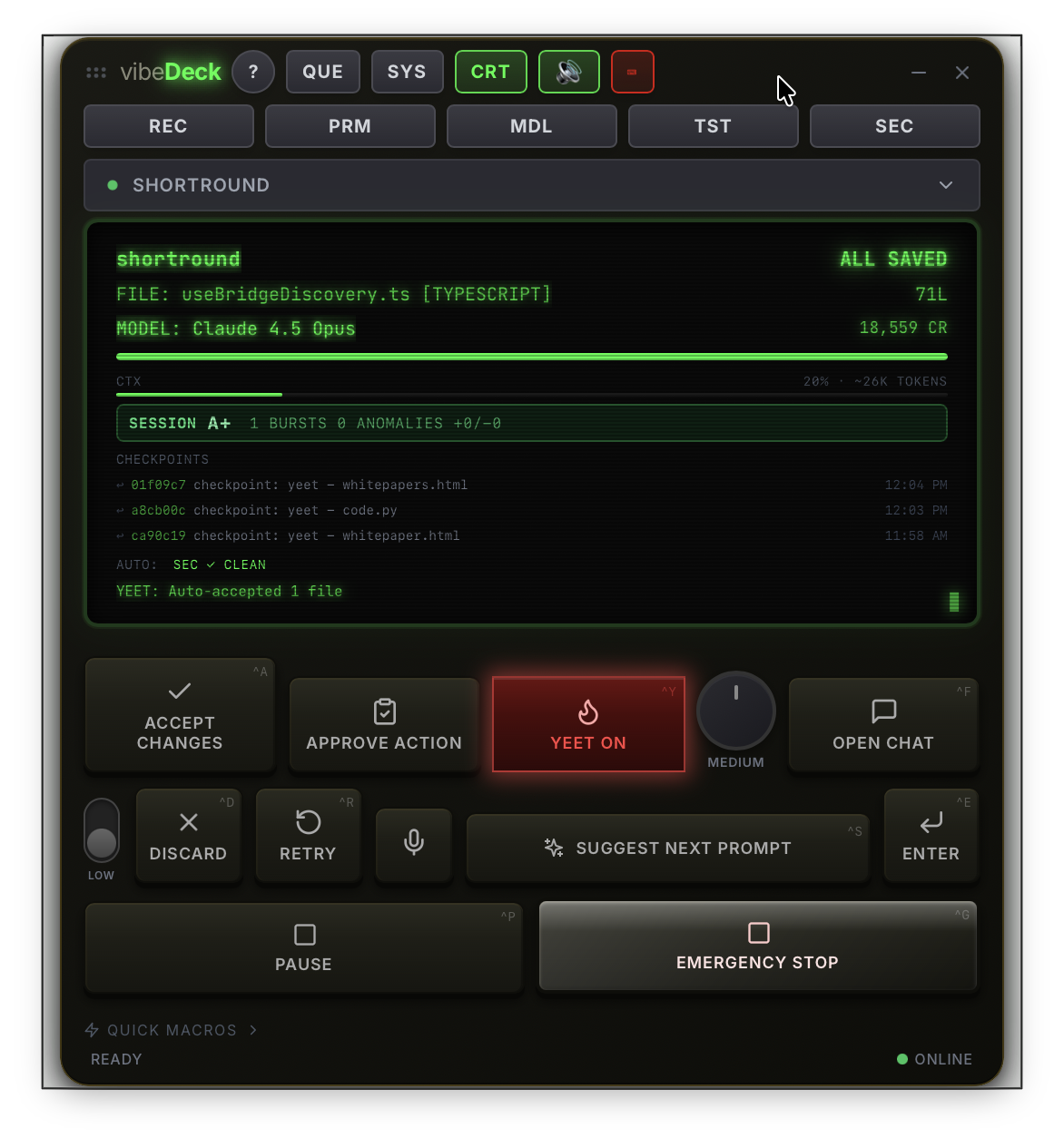
Keyboard shortcuts for every action. Accept or reject in milliseconds without touching your mouse.
🔥
YEET Mode
Auto-accept all changes with automatic git commits. Runs caffeinate to keep your computer awake. Walk away and let AI build while you grab coffee.
📋
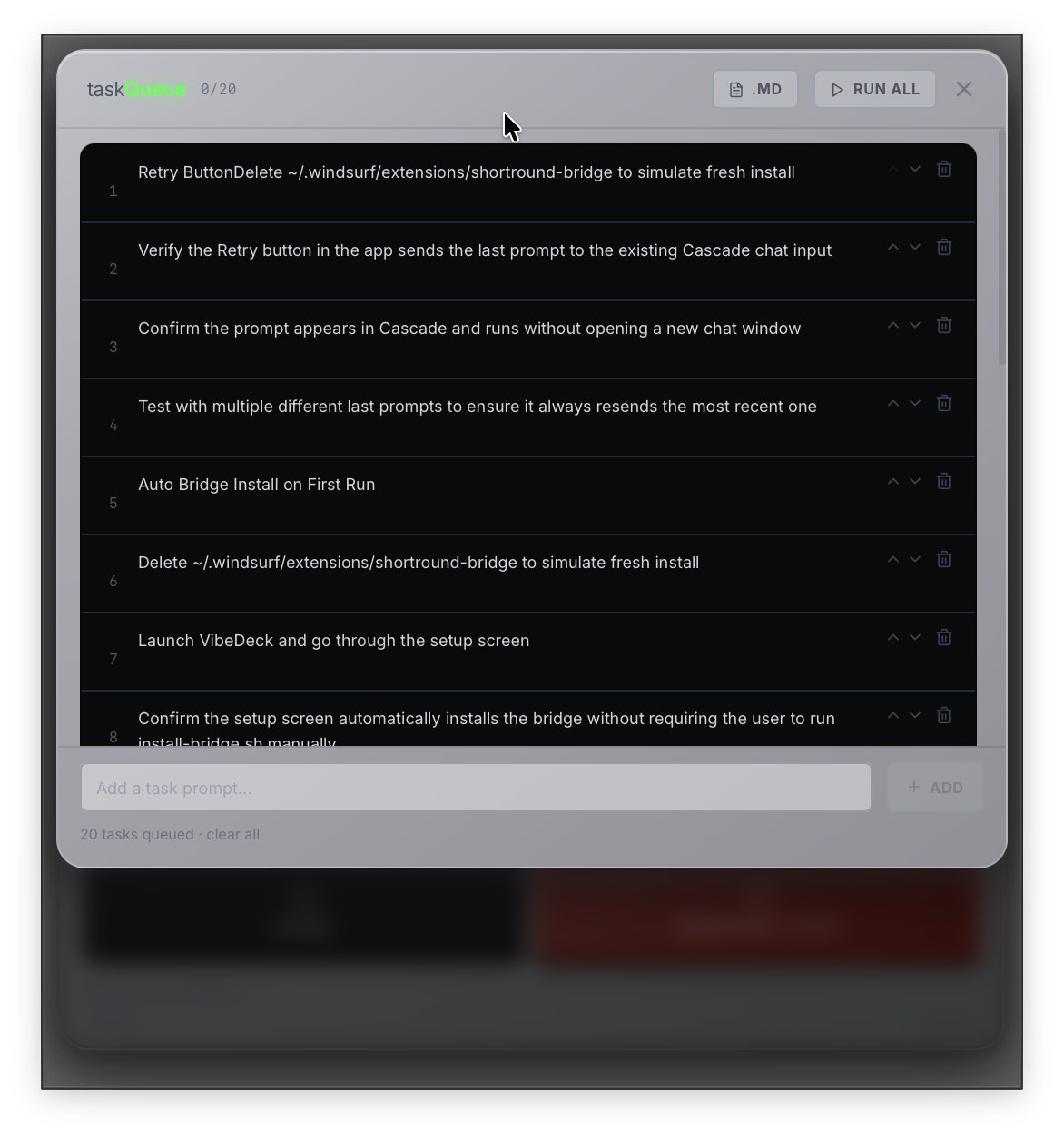
Task Queue
Queue multiple tasks, hit "Run All", and walk away. VibeDeck manages the entire workflow.
📊
Anomaly Detection
Adjustable sigma sensitivity detects out-of-band changes. AI-powered quality analysis keeps code on track.
🎮
System Monitor
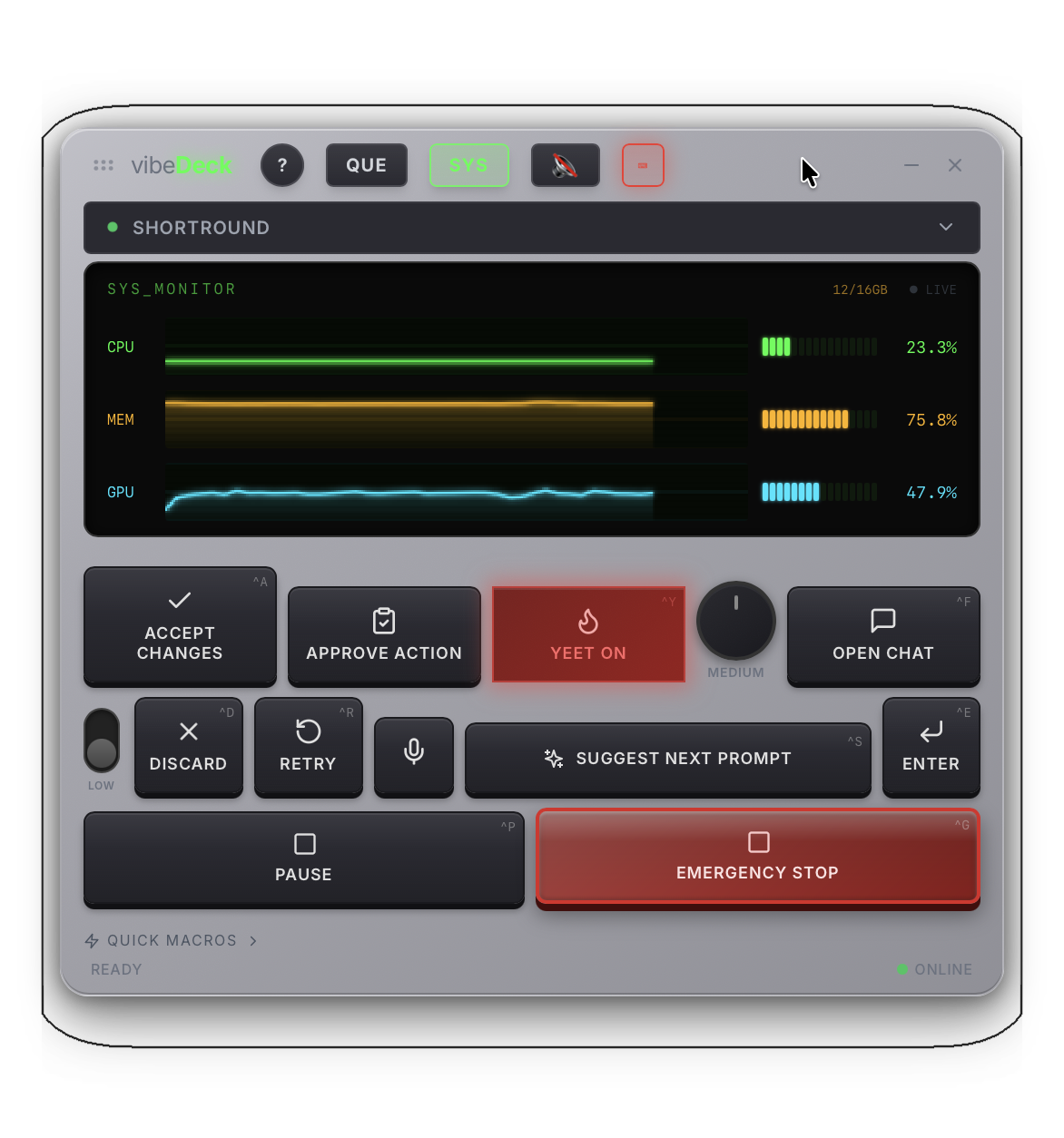
Live CPU, memory, and GPU usage tracking. Know when your machine is under load.
🔄
Auto Git Commits
YEET mode automatically commits accepted changes with descriptive messages. Complete audit trail.
🔊
Voice Alerts
British Siri voice callouts for task completions, anomaly warnings, and system events. Stay informed without watching the screen.
🛑
Emergency Stop
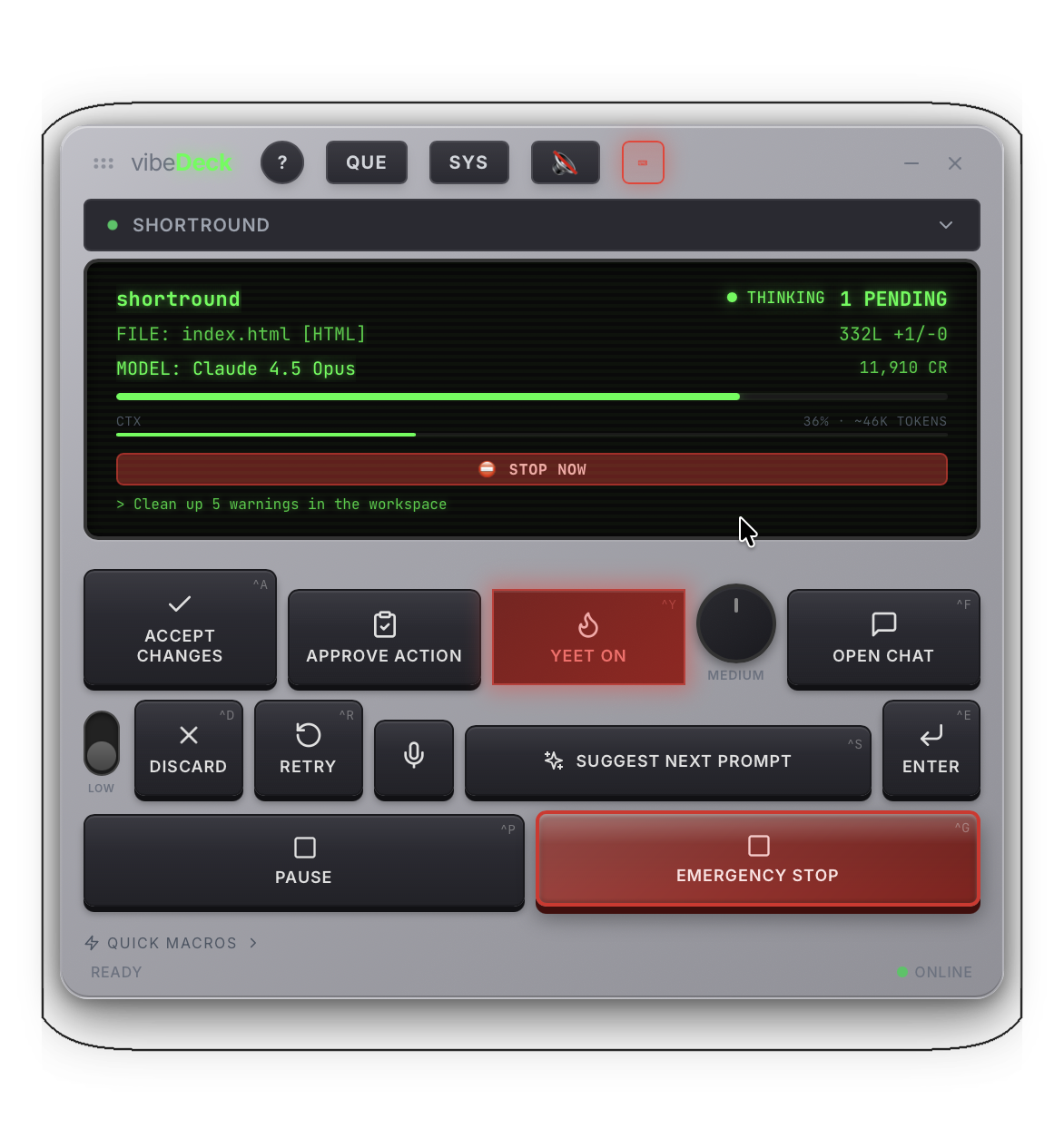
Break-glass button instantly discards all pending changes and halts AI execution. Complete control when things go sideways.
🎛️
Hardware MacroPad
Optional Adafruit MacroPad RP2040 with monochrome OLED display. 12 mechanical keys, rotary encoder, live workspace status. Buy pre-flashed or DIY.
📼
Session Recording
Every prompt, accept, and diff is captured automatically. Replay full AI coding sessions to understand decisions and track productivity over time.
📚
Prompt Library
Save, organize, and instantly fire your most effective prompts. Build a personal library of battle-tested AI instructions for any task.
🧠
Model Selector
Switch AI models mid-session without leaving VibeDeck. Instantly swap between Claude models based on task complexity and credit budget.
🔐
Security Scanner
Auto-scans your project after every accepted change. Catches vulnerabilities, exposed secrets, and unsafe patterns before they hit production.
🧪
Automated Test Runner
Runs your test suite automatically after each accept. Instant pass/fail feedback so broken code never slips through unnoticed.
💰
Credit & Cost Tracking
Daily, weekly, and monthly credit usage with budget warnings. Know exactly what your AI coding sessions are costing in real time.
🗂️
Multi-Workspace Sessions
Manage multiple Windsurf projects from a single VibeDeck window. Switch between workspaces instantly with full context preserved.
📊
Session Grading
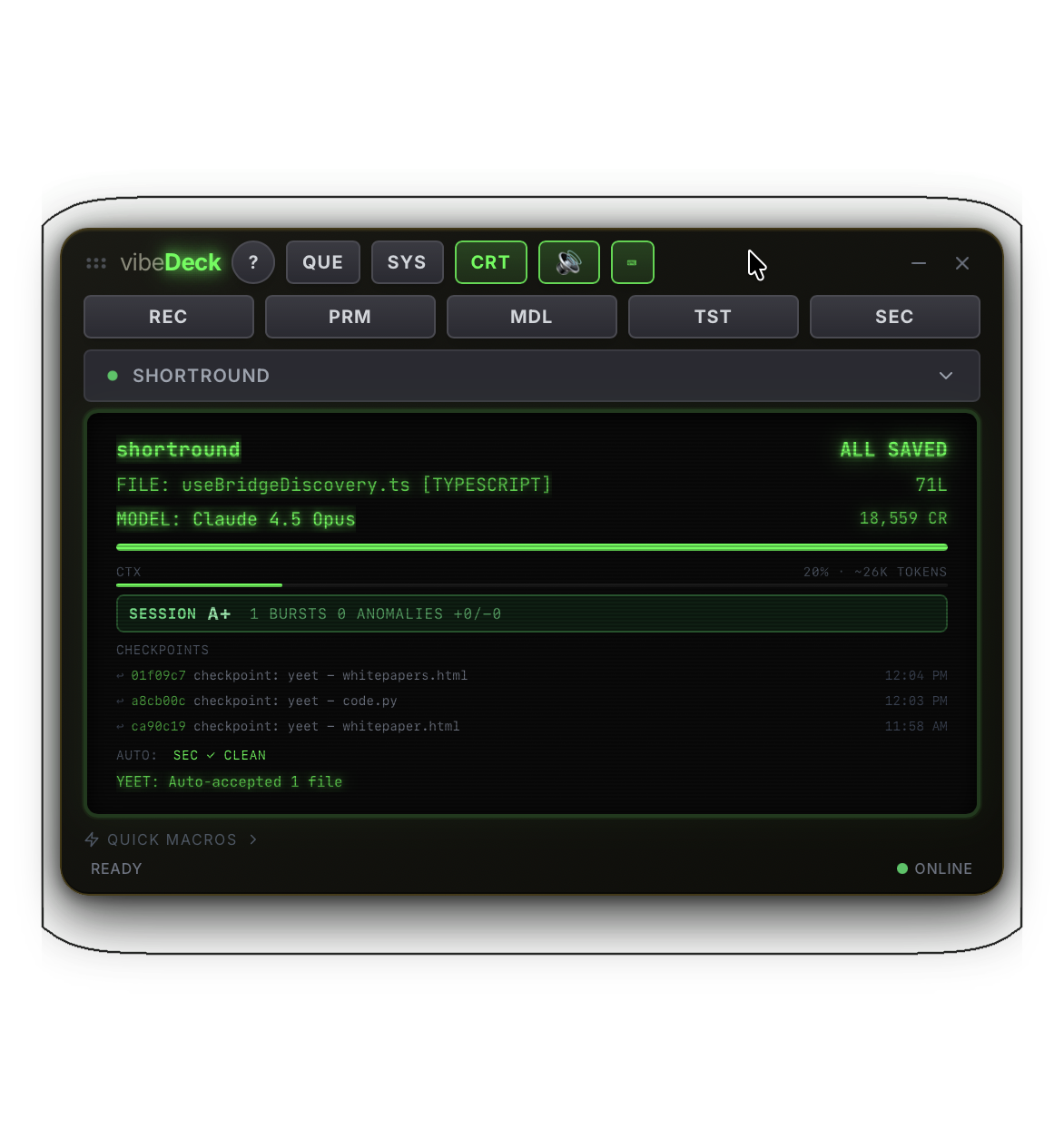
Each coding session gets a quality grade (A+ to F) based on anomaly count, drift patterns, and diff statistics. Quantify your AI's performance.
🖥️
CRT Aesthetic Mode
Toggle a retro phosphor-green CRT display mode. Stronger scanlines, keycap glow, blinking cursor. Auto-enables when MacroPad is connected.
🔄
Multi-IDE Support
Works with Windsurf AND Cursor simultaneously. Auto-discovers all open IDE bridges, switch between them with one click. Zero conflicts, always connected.
⚙️
Graceful Shutdown
Bridges stay alive for 2 minutes after IDE closes. Handles crashes and restarts without losing connection. Activity tracking prevents premature shutdown.
📡
mDNS Discovery
Bridges broadcast via Bonjour/mDNS for automatic network discovery. iOS app and MacroPad find bridges instantly. Works across multiple machines.
⚡
Anomaly Sensitivity Dial
Adjustable sigma-based detection (low/medium/high). Rotary control on UI and MacroPad. Catches quality issues before they compound.
🎯
Git Checkpoints
Auto-creates git commits with every YEET accept. One-click restore to any checkpoint. Complete rollback capability. Full audit trail.
📊
Drift Detection
Detects when AI strays from original task. Real-time warnings with reason. Suggests course correction. Keeps coding sessions on track.